Start your free 1-month trial - 5 users / 5 GB / all apps

RoyalSonic Mail

Your domain email — plus the workspace around it

One secure suite for mail, calendar, contacts, tasks, notes, office docs, chat, cloud files, vault, and whiteboard — branded to [email protected].

Introduction

Email hosting that feels like a modern office, not a bolted-on inbox

RoyalSonic Email Hosting App is built for teams who want professional domain email without stitching together a dozen separate SaaS logins. You get IMAP/SMTP mailboxes on your domain, a polished webmail client, and a full productivity layer that opens from the same apps rail you already use in webmail.

Instead of treating calendar, tasks, notes, files, and chat as afterthoughts, RoyalSonic designs them as one composition: a light, readable interface, consistent navigation, and deep links between apps. Schedule a meeting from Calendar, attach files from Cloud, capture follow-ups in Tasks or Reminders, and keep sensitive passwords in Vault — all under your RoyalSonic account.

Whether you are a founder running [email protected], a small company adding sales@ and support@, or a growing team that needs shared spaces and office documents, the suite scales with you. Hosting stays on RoyalSonic infrastructure with TLS, spam filtering, and admin controls when you need them — while every day work stays in the browser.

Below is a guided tour of the live apps, with real screenshots from the RoyalSonic workspace. Each module is included or available as you grow from starter email into full groupware.

01 · Webmail

Mail that looks like your business

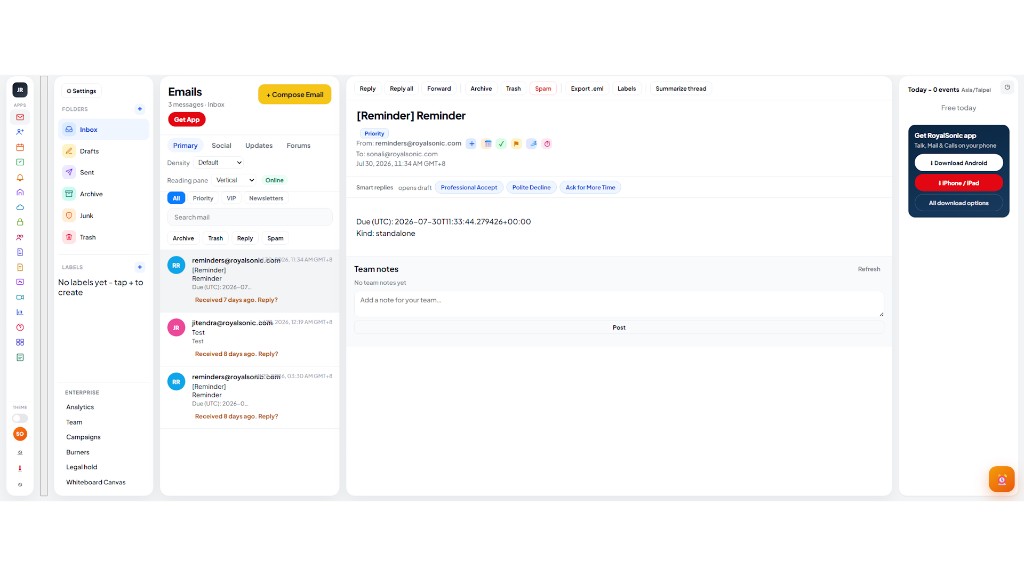
A three-pane webmail client with folders, labels, search, density controls, and a clear reading pane. Compose, reply, archive, and organize without leaving your domain identity.

  • Inbox triage with smart follow-up nudges and quick replies
  • Labels and folders for teams that outgrow a single inbox
  • Apps rail to jump into Calendar, Tasks, Cloud, Vault, and more
RoyalSonic Webmail showing inbox and reading pane

02 · Calendar

Schedules, rooms, and booking in one grid

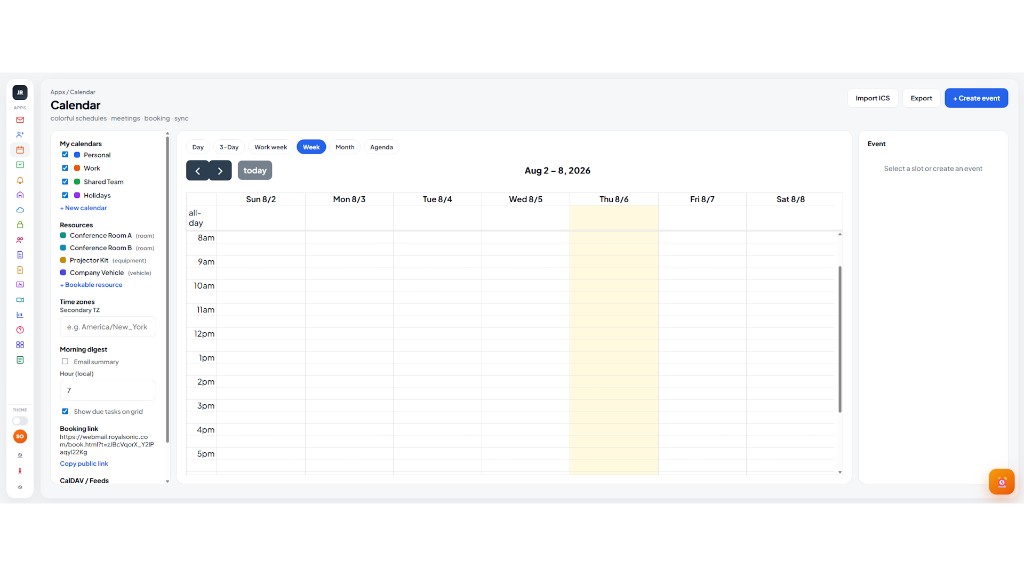
Plan days, work weeks, and agendas with color-coded calendars, resource booking, time zones, and a morning digest. Create events without bouncing to a separate product.

  • Personal, work, shared, and holiday calendars
  • Conference rooms and equipment as bookable resources
  • Shareable booking link for external scheduling
RoyalSonic Calendar week view

03 · Contacts

People and companies at a glance

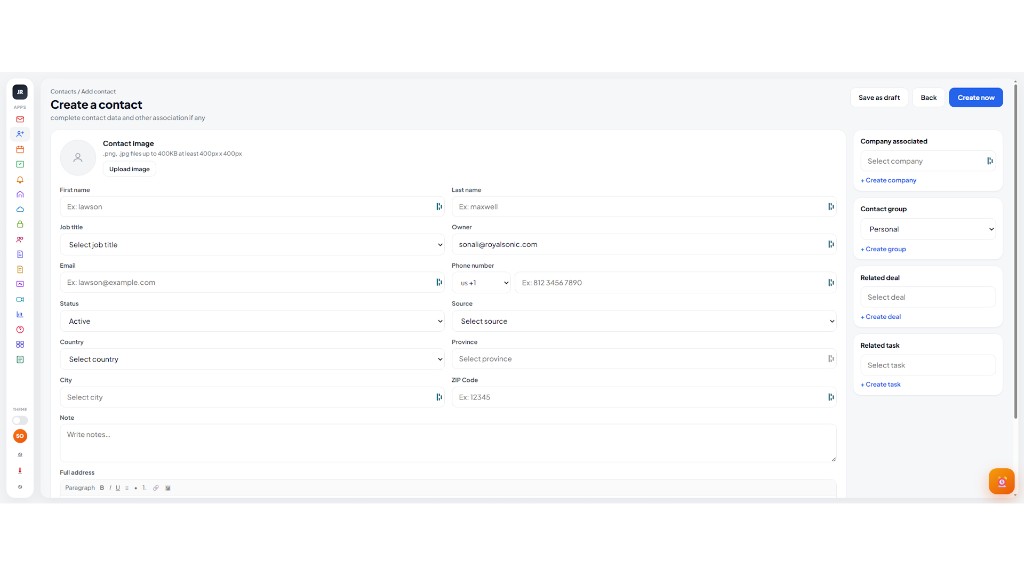
A clean address book for colleagues, clients, and partners — with titles, emails, and tags so every message starts with the right recipient.

  • Searchable directory with role and company context
  • Import tools and optional auto-collect on send
  • Personal and shared contact groups as you grow
RoyalSonic Contacts list

04 · Tasks

Lists, subtasks, and kanban beside your inbox

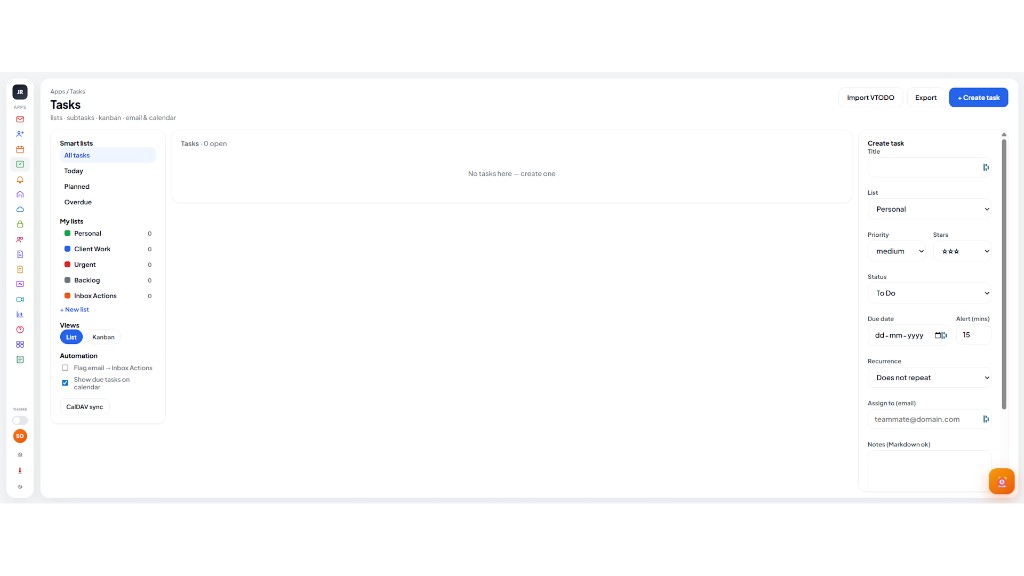
Turn email into action with smart lists (Today, Planned, Overdue), custom lists, and list/kanban views. Keep due work visible without a separate project tool.

  • Smart lists plus personal lists for client work and urgency
  • Optional email-to-task and calendar due-date sync
  • CalDAV-friendly workflow for desktop clients
RoyalSonic Tasks workspace

05 · Reminders

Nudges that actually reach you

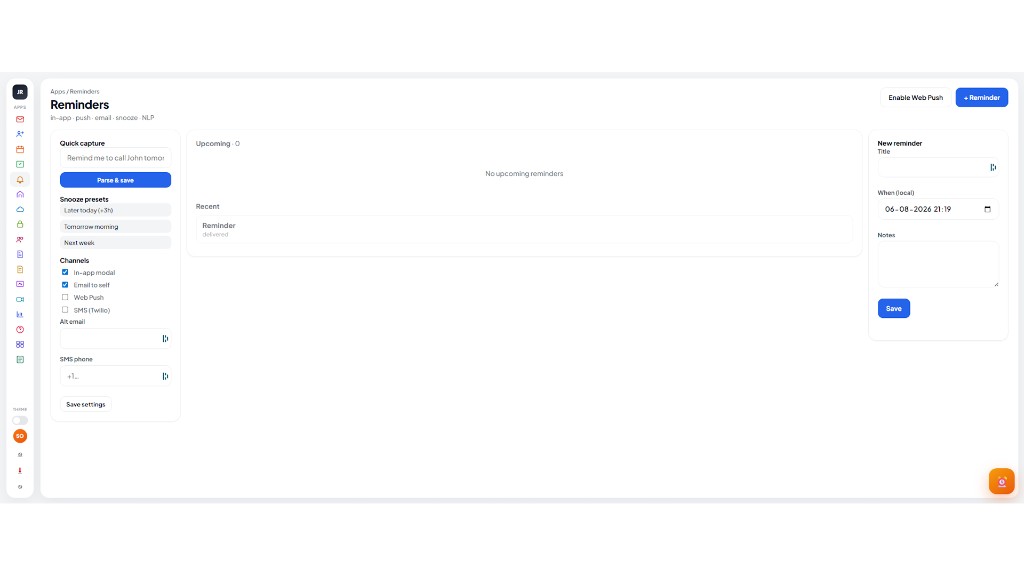
Natural-language capture (“Remind me to call John tomorrow”), snooze presets, and channels for in-app, email, web push, or SMS — so follow-ups do not slip.

  • Parse & save from plain English
  • Upcoming and recent reminder panes
  • Channel preferences saved per mailbox
RoyalSonic Reminders app

06 · Notes

A notes suite next to mail — not a sticky pad

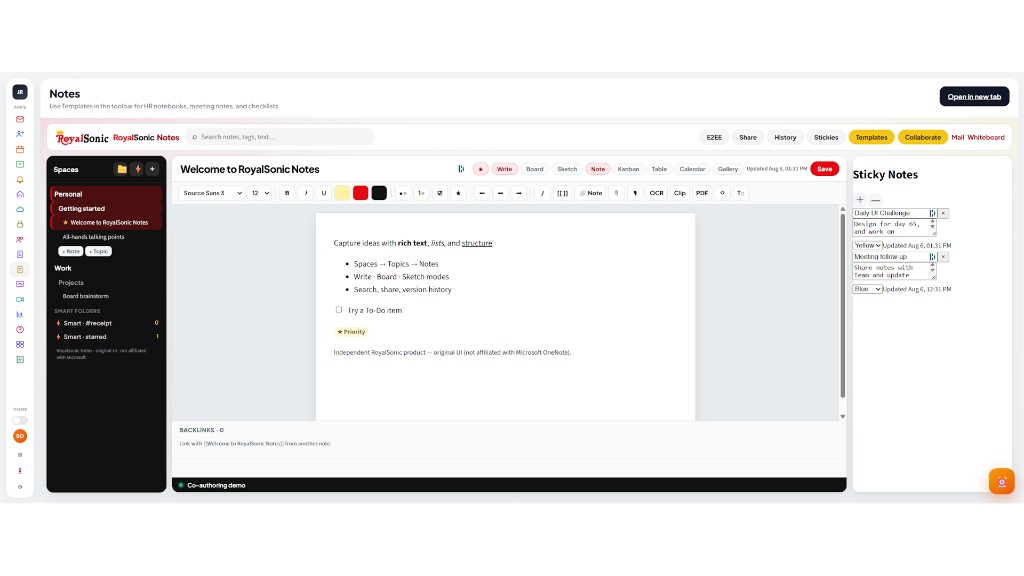
Topics, smart folders, rich editing, sketch, kanban, and collaboration tools for meeting notes and long-form work that should live with your mailbox.

  • Personal and work notebooks with templates
  • Write, board, sketch, and table views
  • Stickies panel for quick side thoughts
RoyalSonic Notes editor

07 · Office

Writer, Calc, and Impress in the browser

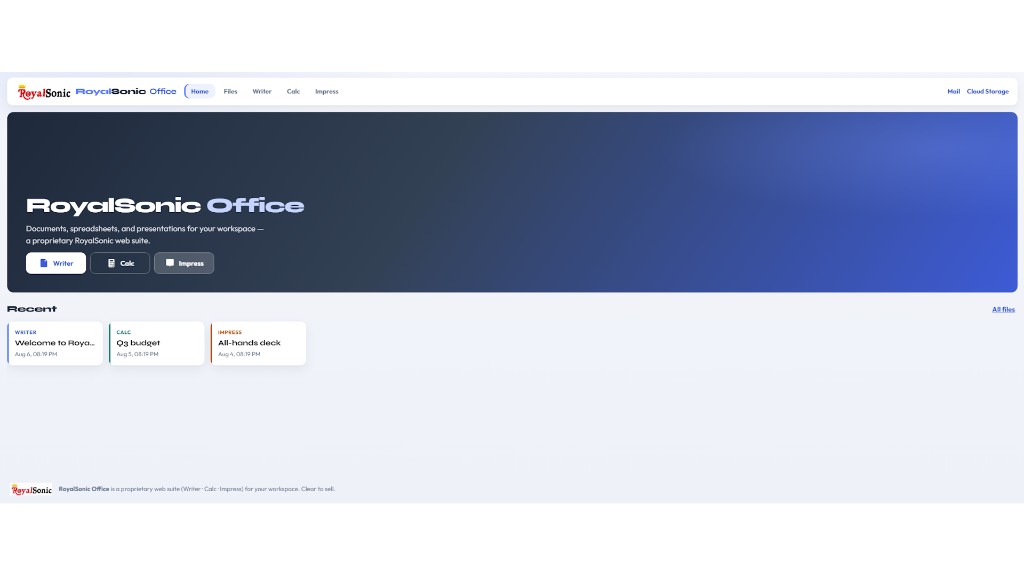
RoyalSonic Office is a proprietary web suite for documents, spreadsheets, and presentations — create from Home, reopen Recent files, and keep drafts inside your workspace.

  • One-click Writer / Calc / Impress
  • Recent files with clear type labels
  • Built for teams that want docs without a separate license maze
RoyalSonic Office home

08 · Talk

Team chat with colored windows — names you can read

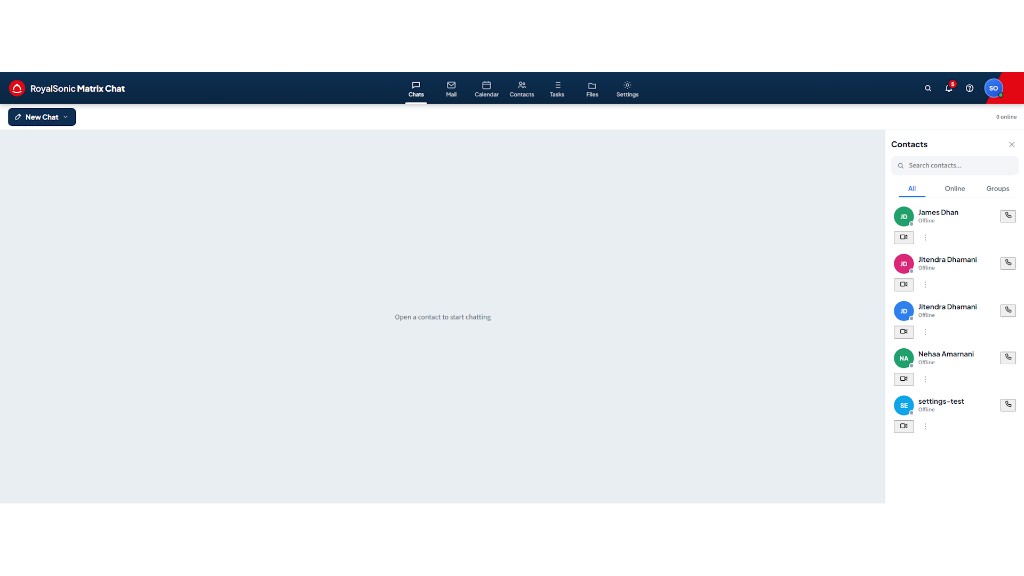
Matrix-powered chat with multi-window conversations, contacts rail, and call shortcuts. Stay in motion without abandoning mail and calendar.

  • Parallel chats with distinct header themes
  • Contacts search with online/offline status
  • Quick jump to Mail, Calendar, Files from the top bar
RoyalSonic Talk chat windows

09 · Whiteboard

Sketch when words are not enough

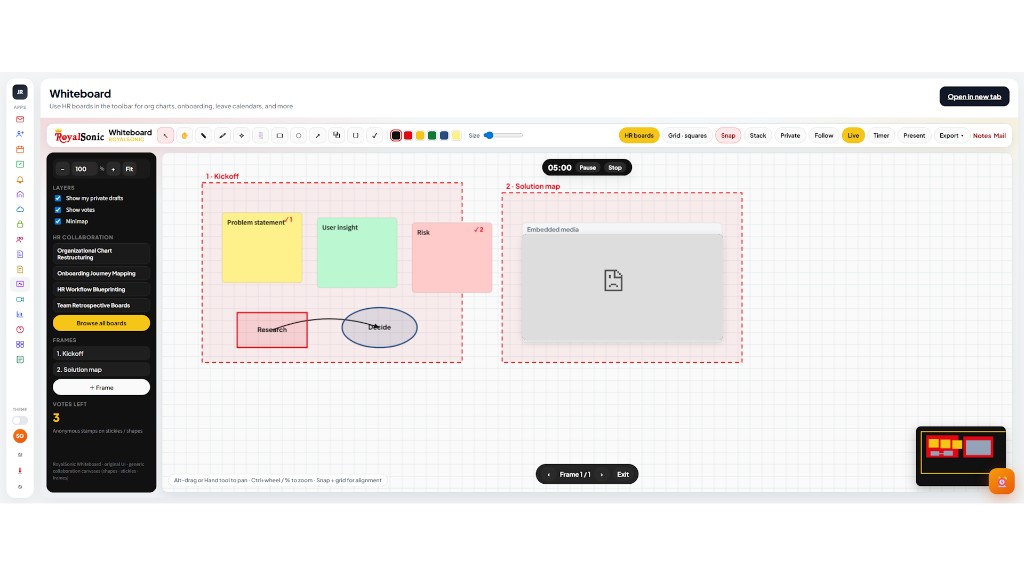
A shared canvas for workshops, org charts, onboarding maps, and retrospectives — with frames, votes, timer, and HR board templates.

  • Drawing tools, stickies, connectors, and frames
  • Live presence, present mode, and export
  • Ready-made boards for common collaboration rituals
RoyalSonic Whiteboard canvas

10 · Cloud

Files beside mail — Personal, Shares, Spaces

Store and browse documents in RoyalSonic Cloud with a familiar files UI: New, Favorites, Shares, Spaces, and deleted files — linked from webmail and Shared Space.

  • Grid and list views with clear file names
  • Spaces for team libraries and projects
  • Same light webmail look for less context switching
RoyalSonic Cloud files

11 · Vault

Passwords and secrets in your suite

RoyalSonic Vault keeps credentials next to the apps that need them — with a light, readable shell aligned to webmail, plus browser extensions when you want fill-on-the-go.

  • SSO from webmail Apps for seamless sign-in
  • Groups, trusted users, and security reporting
  • Extension downloads from inside Vault
RoyalSonic Vault interface

12 · Shared Space

Intranet hubs, libraries, and news

Shared Space brings team sites, libraries, pages, and news into the same visual language as webmail — browse company hubs, sales workspaces, and quick links to Docs, Mail, and Cloud.

  • News cards from hub pages
  • Frequent sites for company, sales, people ops, engineering
  • One-click open to full portal or Cloud Storage
RoyalSonic Shared Space portal

Ready for domain email that includes the apps?

Start with professional mailboxes on your domain, then grow into calendar, chat, cloud, vault, and office — one RoyalSonic workspace, one look, one place to work.